


Create Custom Apps Fast with No-Code Drag-and-Drop Builder
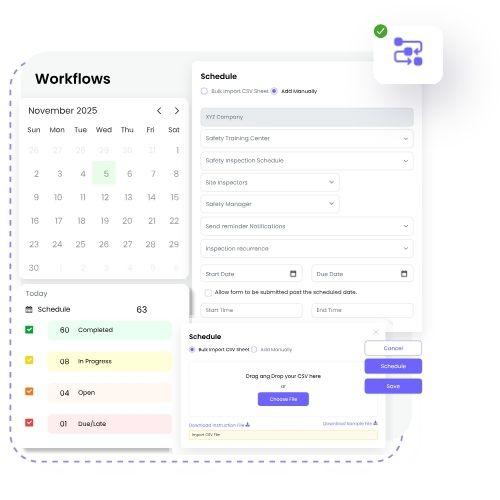
Explore top programs to make apps in 2025, from drag-and-drop builders to coding platforms, and create your own app with ease. Perfect for beginners and experts.
In today's fast-paced digital world, creating an app has become more accessible than ever. Whether you're an entrepreneur with a groundbreaking idea or a hobbyist wanting to turn your concepts into reality, there are numerous programs to make apps that can help you bring your vision to life. These tools are designed to make the app development process easier, faster, and more efficient.
Programs to make apps range from no-code platforms, which allow even non-technical users to build apps, to powerful frameworks used by professional developers. In this comprehensive guide, we'll explore different types of app-making tools, from beginner-friendly app builders to sophisticated software development kits (SDKs), and provide insights on how to choose the right one for your needs.
Types of Programs to Make Apps
There are various programs available for making apps, each catering to different needs and skill levels. Here's an overview of the most popular options:
No-Code Platforms
-
Wix App Builder: Ideal for beginners looking to create simple mobile apps without coding.
-
Bubble: A no-code platform for building sophisticated web apps with database management and integrations.
-
Appy Pie: Offers a drag-and-drop interface for creating apps for various platforms like iOS and Android.
Low-Code Platforms
-
OutSystems: A powerful low-code development environment that allows you to build enterprise-grade apps with minimal coding.
-
Mendix: Focuses on both mobile and web applications, offering tools for building apps quickly with a mix of visual development and coding.
Professional Development Platforms
-
Xcode: Apple's Integrated Development Environment (IDE) for creating apps for iOS, macOS, watchOS, and tvOS.
-
Android Studio: Google's IDE for Android development, which offers powerful tools for creating native Android apps.
Best Programs to Make Apps for Beginners
If you're new to app development, there are several user-friendly platforms that can help you get started without writing a single line of code. These tools are designed to be intuitive and cater to people with no technical background.
Wix App Builder
Wix is widely known for its website builder, but it also offers an app builder that allows you to create mobile apps quickly. The drag-and-drop interface lets you design your app without coding, and it comes with a variety of templates. This platform is perfect for creating simple apps for businesses, restaurants, and personal projects. Learn more about Wix App Builder.
Appy Pie
Appy Pie is another excellent platform for beginners. It allows you to build mobile apps for both iOS and Android, using a simple drag-and-drop interface. With Appy Pie, you can create everything from business apps to social networking apps, all without any coding experience. The platform also includes features like app analytics, push notifications, and in-app purchases.
Bubble
Bubble is a great option if you want to build web apps without coding. It provides a visual interface to design your app and set up workflows, and it's capable of handling complex databases and integrations. With Bubble, you can create apps ranging from marketplaces to social platforms.
Best Programs for Professional Developers
For more experienced app developers, powerful tools are available that provide greater flexibility and customization options. These platforms allow you to write code, debug, and optimize your app for performance.
Xcode
If you're developing apps for Apple's ecosystem, Xcode is the go-to tool. It includes everything you need to build apps for iOS, macOS, and watchOS. Xcode offers a suite of professional tools, including a code editor, debugging tools, and simulators for testing your app. It also integrates seamlessly with other Apple services like iCloud and Swift.
Android Studio
Android Studio is the official IDE for Android app development, providing tools for building apps for smartphones, tablets, and wearables. Android Studio supports Java, Kotlin, and other programming languages, making it a versatile option for professional developers. It includes a powerful emulator, code editor, and debugging tools.
Factors to Consider When Choosing an App-Making Program
When deciding which program to use, it's important to consider a few key factors to ensure you choose the right platform for your needs:
-
Skill Level: Beginners should opt for no-code or low-code platforms, while developers with coding experience may prefer more professional tools like Xcode or Android Studio.
-
Customization: If you need a high level of customization and flexibility, go for platforms that allow you to write code, such as Xcode or Android Studio.
-
Platform Compatibility: Ensure the tool you choose supports the platform(s) you want to target, whether it's iOS, Android, or web.
-
Cost: Some platforms offer free versions with limited features, while others require paid plans for advanced functionalities.
Frequently Asked Questions
What is the easiest way to make an app without coding?
The easiest way to make an app without coding is by using no-code platforms like Wix App Builder or Appy Pie. These platforms offer drag-and-drop interfaces, making it simple to create an app with no programming knowledge.
Can I make apps for both iOS and Android?
Yes, many app-making platforms, such as Appy Pie and OutSystems, allow you to create apps for both iOS and Android simultaneously, saving time and effort.
How long does it take to make an app using no-code tools?
The time required depends on the complexity of the app. Simple apps can be built in a matter of days, while more complex applications might take weeks.
Do I need coding knowledge to build an app?
Not necessarily. No-code and low-code platforms allow you to build apps without any coding experience, while more advanced platforms require knowledge of programming languages.
What is the best program for building a mobile app?
For beginners, platforms like Appy Pie and Wix App Builder are great. For professionals, Xcode for iOS or Android Studio for Android are the best choices.
Are there free programs to build apps?
Yes, platforms like Wix App Builder and Appy Pie offer free plans with limited features. For more advanced capabilities, you may need to opt for paid plans.
Conclusion: Choosing the Right Program to Make Apps
Building an app has never been easier, thanks to the wide range of programs available. Whether you're just starting or you're a seasoned developer, there’s an app-making tool out there for you. For beginners, no-code platforms like App Builder and Appy Pie offer simple, drag-and-drop interfaces. For professional developers, Xcode and Android Studio provide advanced tools and full control over your app’s functionality.

 English
 Arabic
 French
 Spanish
 Portuguese
 Deutsch
 Turkish
 Dutch
Dutch
 Italiano
 Russian
 Romaian
 Portuguese (Brazil)