


Migrate NSF to PST: Complete, Tested Methods for 2025
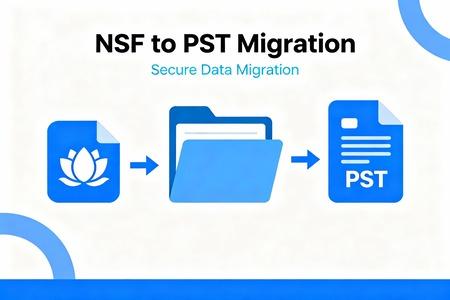
You're knee-deep in old emails from Lotus Notes, but your team now runs on Microsoft Outlook. Switching over feels like a headache. In 2025, with more companies ditching legacy systems, NSF to PST migration tops the list for IT pros. This shift saves time and boosts security. Let's break down why it's key and how to do it right.
Introduction: Why the NSF to PST Migration is Essential Now
The Dominance of Microsoft Outlook
Microsoft Outlook rules the email world. PST files handle local archives in homes and big offices alike. They work smoothly with tools like Windows Search. Lotus Notes uses NSF files, tied to its own setup. That lock-in causes issues when you want to share data outside the Notes bubble. Outlook's PST shines in mixed setups, letting you grab emails fast without special software.
Understanding the Urgency for Migration in 2025
Compliance rules get stricter each year. Think GDPR or new U.S. data laws pushing for quick access. NSF files lag behind Microsoft 365 tools, making teamwork tough. Plus, many firms cut vendors to save cash. Moving to Outlook cuts risks from old Notes bugs. A 2024 report from Gartner shows 60% of enterprises plan this switch by 2026. Security wins big too—PST plays nice with modern encryption.
Section 1: NSF and PST Deep Dive: Format Comparison and Challenges
What is an NSF File? Understanding the Lotus Notes Database Structure
NSF stands for Notes Storage Facility. It's a closed format from HCL Notes, once IBM Lotus. This file packs emails, calendars, and apps into one database. You need the Notes client to open it correctly. Cross-platform views? Not easy without hacks. It stores data in chunks, which can bloat files over time. For big archives, this means slow loads and export pains.
The Advantages of the PST Format for Modern Workflow
PST, or Personal Storage Table, fits Outlook like a glove. It supports OST for online Exchange too, blending local and cloud. Third-party apps index PST quickly, so searches fly. Backups integrate with Windows tools out of the box. In teams, PST shares data without format fights. It's lighter on resources than NSF's heavy structure.
Common Roadblocks in Direct NSF Conversion
Embedded items like docs or images often glitch in transfers. Folder trees in Notes twist during moves. Agents—those auto-scripts—don't always port over clean. Message links break, messing up replies. Large NSF files hit memory walls. Tests show up to 20% data loss without care. You face compatibility gaps between old Notes versions and the new Outlook.
Section 2: Method 1: The Professional Tool Route – Guaranteed Integrity
Evaluating Top-Tier Third-Party NSF to PST Converters
Pick tools by speed and batch power. They handle gigs of data without crashes. Check output match—does it keep all fields? Free trials let you test samples. Look for 2025 updates with M365 support. Top picks score high on reviews for clean calendars and contacts.
Step-by-Step Guide to Using Dedicated Migration Software
Start by downloading a trusted converter. Fire it up and pick your NSF files from the drive. Set the PST spot, like a new folder. Map fields if needed—emails to emails, dates stay put. Hit convert and watch progress bars. After, open the PST in Outlook to spot-check.
-
Scan for errors in a test run.
-
Verify attachments open fine.
-
Run a quick search on key terms.
This method keeps things whole, unlike piecemeal tries.
Addressing Licensing and Scalability for Enterprise Deployments
IT teams need per-user licenses for small groups or one-time buys for bulk jobs. Scalability matters for thousands of boxes. A law firm in Chicago moved 5,000 NSF files last year. They chose a tool with server mode to run overnight. Costs? Expect $100 to $500 per license, based on features. Always test on a subset first to avoid surprises.
Section 3: Method 2: Manual and Intermediate Conversion Techniques
Leveraging Export Features Within HCL Notes Clients (If Available)
Notes lets you export folders to CSV for contacts or basics. Select items, go to File > Export. Pick CSV and save. Then, in Outlook, use Import to pull it in. But full mailboxes? It skips rich text and links. Calendars often need separate steps. This works for quick pulls, not whole shifts.
Utilizing Intermediate MBOX or EML Conversion as a Bridge
First, grab a tool to turn NSF into MBOX. Free options exist online. That MBOX file neutrally holds emails. Next, Outlook's import wizard takes MBOX via add-ons. Or convert EML one by one for small sets. It's a two-hop path, but it bridges gaps. Drawback: Threads might split, so check often.
-
Export NSF to MBOX in batches.
-
Use Thunderbird as a middle step if needed.
-
Import to PST, then clean duplicates.
Data Integrity Checks for Manual Conversions
Spot-check metadata like send dates on ten emails. Compare folder counts before and after. Tools like Hex editors peek at file headers. If timestamps shift, stop and tweak. A small test batch saves big headaches. Always back up originals—manual paths risk more slips than Pro Tools.
Section 4: Post-Migration Tasks: Importing and Validation in Outlook
Importing the Converted PST Files into Microsoft Outlook
Open Outlook and click File > Open & Export > Import/Export. Choose "Import from another program or file." Select PST and browse to yours. Pick folders to bring over. Set options for duplicates. Hit Finish, and it loads into your profile. Takes minutes for small files, hours for large.
Verifying Data Fidelity and Recovering Missing Elements
Count folders—match the NSF side. Open random attachments; they should pop right up. Calendars? Book a test meeting to see the invites. If items vanish, rerun the convert on that chunk. Use Outlook's search to hunt lost threads. Common fixes: Rebuild the PST index if searches fail.
-
Cross-check 50 emails for full content.
-
Test rules on moved items.
-
Note any calendar overlaps.
Re-indexing and Optimizing the New PST Archives
Outlook's search needs a refresh post-import. Go to Control Panel > Indexing Options. Add the PST path and rebuild. This makes it instant. Compact the file too—File > Info > Tools > Compact. It shrinks in size and speeds up loads. For big archives, split into yearly PSTs. Users notice the zip after this tune-up.
Section 5: Security, Compliance, and Future-Proofing
Data Retention Policies During the Migration Window
Keep NSF copies locked until all checks pass. Laws demand proof of full transfer. Use secure drives or cloud vaults for backups. Set a 30-day hold, as per most regs. Stakeholders sign off before deletion. This covers audits if issues pop.
Securing the Converted PST Files
Add passwords via Outlook: Right-click PST > Properties > Advanced > Encrypt. Use strong keys, like 128-bit. For teams, push BitLocker on drives. Old NSF might lack this, so upgrade now. Scans show 40% of legacy files sit unencrypted—fix that gap.
Preparing for the Next Step: Transitioning to Exchange Online/M365
PST is your stepping stone to the cloud. Upload to OneDrive or direct to Exchange. Tools like Azure help batch moves. It preps data for shared access. In 2025, with AI in M365, clean PST feeds better. Full cloud cuts hardware woes.
Conclusion: Successful NSF to PST Migration in 2025
Wrapping up, NSF to PST migration smooths your email life in 2025. Pick Pro Tools for sure wins or manual for light lifts. Always verify every step—it's your safety net. We've covered formats, methods, and checks to keep data safe.
Key takeaways? Tools beat manual for big jobs. Test small, scale up. Security locks it down.
Final checklist for IT admins:
-
Back up all NSF files first.
-
Run a sample convert and validate.
-
Plan post-import tweaks like indexing.
Ready to migrate? Grab a tool today and start fresh. Your team will thank you.

 English
 French
 Spanish
 Portuguese
 Deutsch
 Turkish
 Dutch
Dutch
 Italiano
 Russian
 Romaian
 Portuguese (Brazil)
 Greek
Greek