 English
 Arabic
 French
 Spanish
 Portuguese
 Deutsch
 Turkish
 Dutch
Dutch
 Italiano
 Russian
 Romaian
 Portuguese (Brazil)
 Greek
Greek

Liposuction Surgery for Knees and Calves: Refining Lower Legs
Health |
2026-02-21 06:56:00
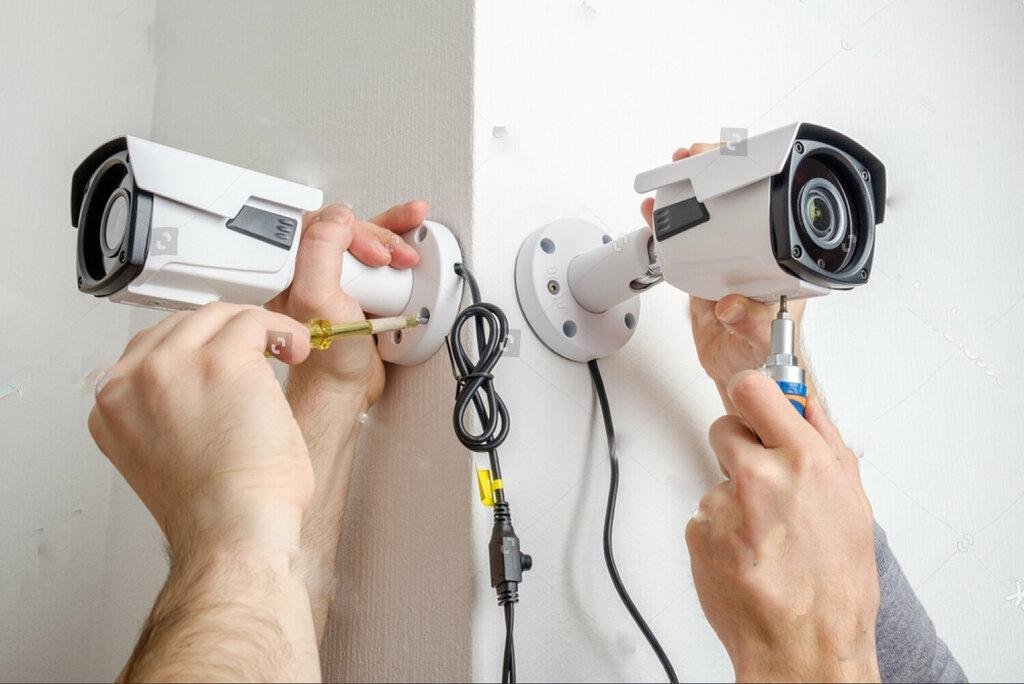
When you're sitting at your kitchen table, staring at a stack of confusing quotes for CCTV cameras in Pakistan, it's easy to feel overwhelmed. You want to protect your family or your business, but the technical jargon, DVR, NVR, IP, Analog, starts to sound like a foreign language. Maybe you've already had a bad experience with a local "technician" who left messy wires hanging across your walls, or perhaps you're just worried about getting overcharged for outdated hardware.
I've spent fifteen years in the security industry, and I can tell you that most people focus on the wrong things. They buy for the price and regret the performance. It's frustrating to invest your hard-earned money only to find that the "HD" footage is too blurry to identify a face when it actually matters.
In 2026, the standard for Pakistani homes and offices has shifted from basic 2MP analog systems to 4MP AI-enabled IP cameras. A reliable 4-camera setup, including professional installation and 1TB storage, now typically ranges between PKR 45,000 and PKR 85,000 depending on the brand and smart features.
Most shops in Saddar or Hafeez Centre will try to sell you unbranded kits. They look fine on the monitor in the shop, but I've found that these units often fail during our frequent power surges or simply burn out in the Pakistani summer heat.
If you're looking for the latest CCTV camera prices, you need to look at the total cost of ownership. A cheap camera that dies in six months is twice as expensive as a Hikvision or Dahua unit that lasts five years. When you check the cctv camera price in pakistan, you're not just paying for a lens. You’re paying for the software stability that doesn't crash your phone app every time you try to check your gate from the office.
Don't fall for the "Free Installation" trap. In this industry, "free" usually means the technician is going to rush the job, use low-quality copper-clad aluminum (CCA) cables, and skip the conduit pipes.
I always tell my clients that the cable is the most important part of the system. If you use poor wiring, your 5MP camera will perform like a 1MP one because of signal loss. Expect to pay a professional between PKR 1,500 and PKR 3,000 per camera for labor. This should include proper weatherproofing for outdoor joints and neat PVC casing.
Choosing a brand is usually where the "analysis paralysis" kicks in. After a decade of testing these in local conditions, here is how the top players actually stack up in 2026.
| Feature | Hikvision (Turbo HD/IP) | Dahua (WizSense) | Ezviz (Wi-Fi/Smart) |
| Best For | Professional Office Setups | AI Motion Detection | DIY Home Interiors |
| Durability | High (Heavy Duty) | High (Excellent Software) | Moderate (Plastic Build) |
| Mobile App | Hik-Connect (Very Stable) | DMSS (Feature Rich) | Ezviz App (User Friendly) |
| Setup Cost | Mid to High | Competitive | Low (No DVR needed) |
Here is something most dealers won't tell you: You probably don't need eight cameras.
Most people over-index on quantity and under-index on placement. I've seen 4-camera systems that provide better security than 12-camera systems because the owner invested in Wide Dynamic Range (WDR) lenses and placed them at eye level. A camera mounted 20 feet high only sees the top of a thief's cap. One mounted at 7 feet sees their face. Buy fewer, better cameras.
If you're building a new house or renovating an office, do not install Analog (BNC) cameras. The industry has moved toward Power over Ethernet (PoE).
With an IP system, a single network cable carries both power and data. It's cleaner, harder to hack, and allows for much higher resolutions. While searching for the best brands like Hikvision and Dahua, you’ll find that their IP range is where the real "Smart" features live, like human detection that ignores your cat or a blowing tree, significantly reducing false alarms on your phone.
For a smaller apartment or a single room, an ezviz camera is often the smartest move. These are standalone Wi-Fi units that record to an SD card. You don't need a bulky recorder (DVR) or messy wires running through your lounge.
You don't need to spend a fortune to get "good enough" security. However, you need to know where to save and where to splurge.
- UPS Backup: Always connect your CCTV system to your UPS or Inverter. Most crimes happen during "load shedding" when the street is dark and cameras are off.
- The 2mm vs 4mm Lens: A 2.8mm lens gives a wide view (great for a small room). A 4mm lens is "zoomed in" (better for a long driveway).
- Change Your Password: 90% of "hacked" cameras in Pakistan happen because the owner left the default password (12345) active.
If you're ready to secure your property, follow this sequence to avoid the common headaches I see every day.
Which is better for a home in Karachi or Lahore: Wired or Wireless?
I always recommend wired (PoE) for the exterior and wireless for the interior. Our thick concrete walls often block Wi-Fi signals, causing "frozen" video on wireless outdoor cameras. A wire is permanent and reliable.
How much storage do I need for 4 cameras?
For 4 cameras at 4MP resolution using H.265+ compression, a 1TB hard drive will give you roughly 10 to 12 days of continuous recording. If you set it to "Motion Recording" only, it can last over a month.
Can I view my cameras on my phone if I don't have PTCL/Fiber?
Yes, you can use a 4G SIM router. Both Hikvision and Dahua apps work perfectly with local 4G networks, though high-resolution streaming will consume your data plan quickly.
What are the installation cost details for a standard office?
For an office, costs are slightly higher because of "concealed" wiring requirements. Expect to pay about PKR 10,000 to PKR 15,000 for the labor of a 4-camera setup, plus the cost of conduits and networking switches.
Securing your space shouldn't feel like a gamble. By focusing on quality cabling, a solid brand, and smart camera placement, you're not just buying equipment you're buying the ability to sleep soundly at night.


